Product

Office BoardEvery patient and every op on one wall TVFront deskCheckout flags, quick asks and who's availableOp tabletsCall the doctor with one tap, see every opDoctor screenA queue that sorts itself, and your next hourVisitPing appA bubble over Open Dental on every office computerOffice chatRooms, messages and visit threads, encryptedAlertsWindows, phone and Watch alerts that reach the right personReportsVisit recaps, wait times and real appointment lengths

More

SecuritySetupPricingWhat's newHelp center
Start 30-day free trial Try the live demo
Home

VisitPing app

VisitPing, right beside Open Dental.

A small Windows app for every computer in the office: the front desk, the ops and the offices. A bubble floats over Open Dental and follows the patient you have open, with everything VisitPing knows about their visit. Requests, chats and sticky notes pop up right there, so nobody has to leave Open Dental.

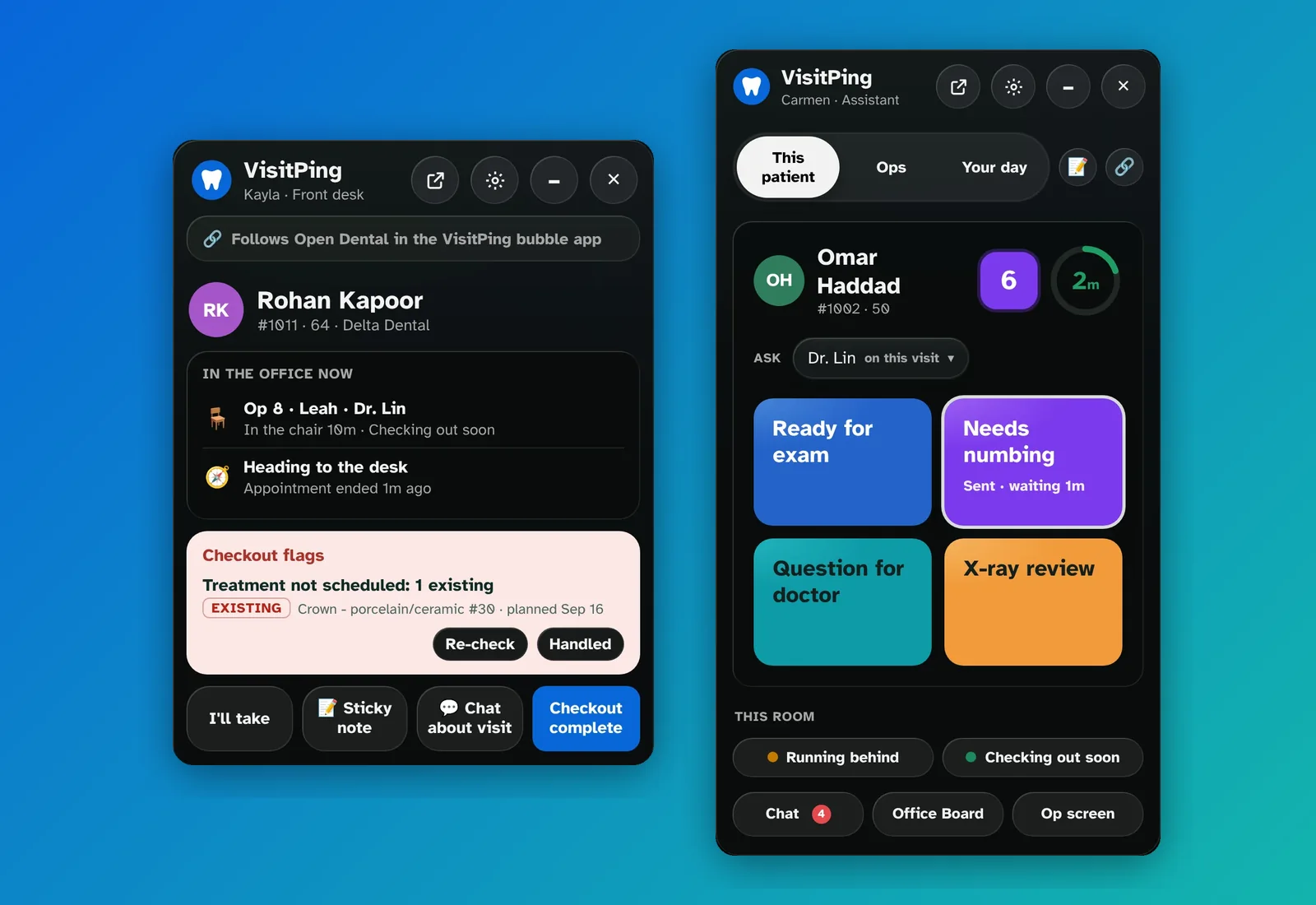
The VisitPing app's panel for the front desk, showing Rohan Kapoor in Op 8 heading to the desk with a checkout flag, and for an assistant, showing Omar Haddad in Op 6 with the time left and the request buttons.
The app's panel for the front desk (left) and for an assistant (right). Sample patients.
Front desk

It follows the patient in Open Dental

Open a patient's chart or account, and the bubble shows where they are right now.

  • Waiting, in Op 3 with Leah, or heading to the desk, with their visit, age, insurance and next visit
  • Checkout flags so far, with Re-check and Handled
  • Their family here today, with Show
  • I'll take, Chat about visit and Checkout complete right on the panel
  • With nobody open: the quick buttons, Available, Busy or Away, and who's heading to the desk
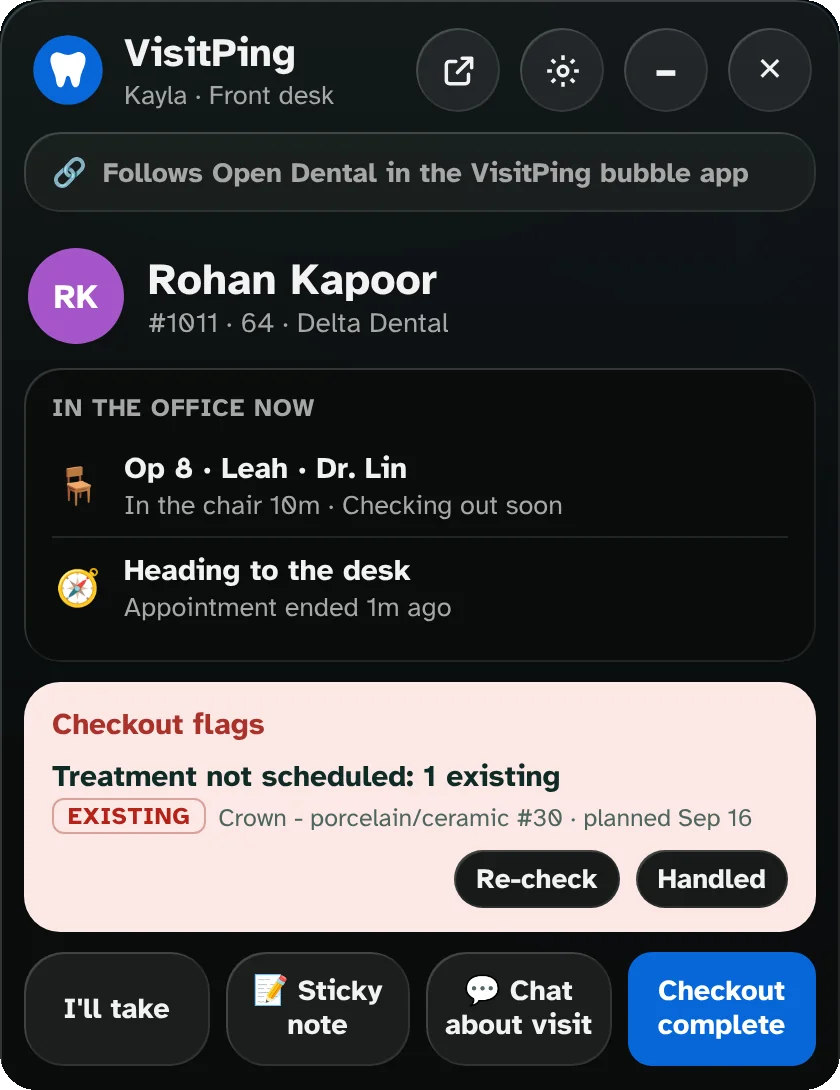
The app's panel for the front desk: Rohan Kapoor, in Op 8 with Leah and Dr. Lin, heading to the desk, a Treatment not scheduled flag with Re-check and Handled, and I'll take, Sticky note, Chat about visit and Checkout complete.
Assistants, hygienists and doctors

The op's buttons, without leaving the chart

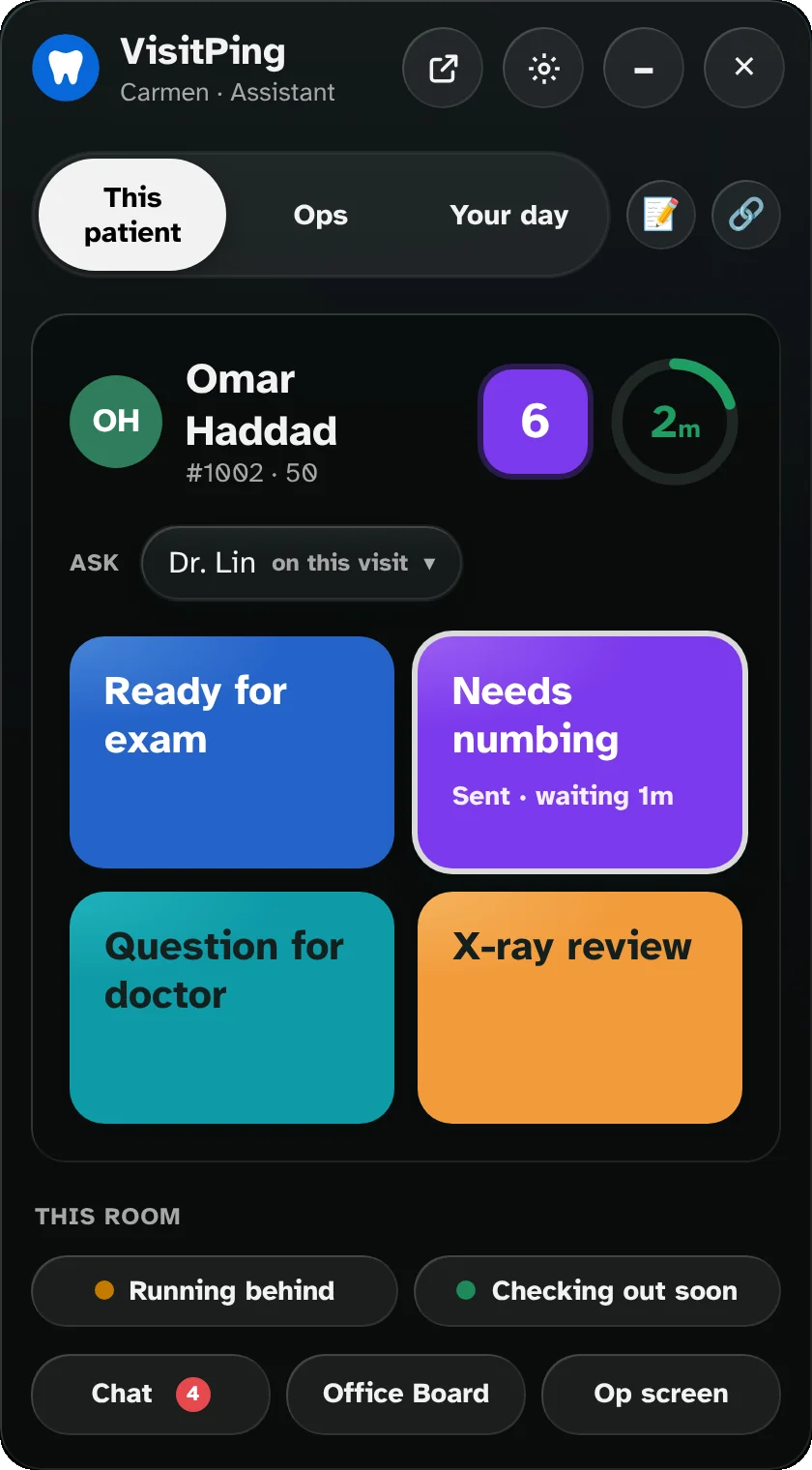
Sign in as a clinical job and the bubble is made for the op.

  • The patient's name, their op and a ring with the time left in the visit: green, yellow, orange, then red as it runs over
  • Their medical alerts and the op tablet's request buttons. Ask the doctor on the visit, or pick another
  • Late to be seated on top, with each room's status
  • Ops and Your day; doctors get Requests with a big On my way, Ops and Your next hour
  • Running behind and Checking out soon for this room
The app's panel for an assistant: This patient, Ops and Your day tabs, Omar Haddad in Op 6 with 2 minutes left, Ask Dr. Lin, and the Ready for exam, Needs numbing (sent, waiting 1m), Question for doctor and X-ray review buttons.
Sticky notes

Reminders that find the right person

Tap 📝 Sticky note on a patient and write what to follow up on.

  • A reminder in an hour, at 3:00, tomorrow at 9, or any time you pick
  • For just you, the whole front desk, or someone else with @Name
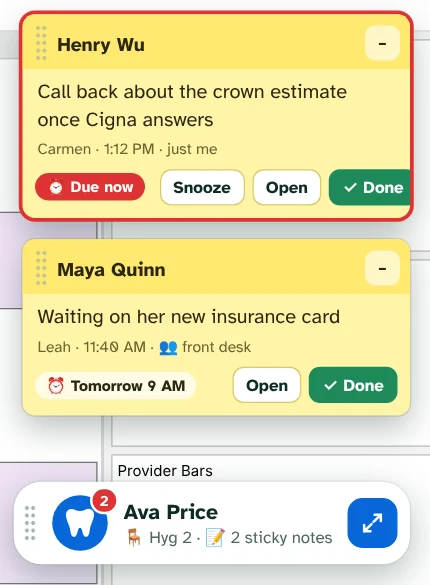
  • When it's due it pops up over Open Dental with Snooze, Open and Done
  • Edit it or take it back later, from the panel or the 📝 list
  • Kept encrypted on your server; the audit log never records what a note says
A sticky note floating next to the VisitPing bubble.

On every office computer

Stays out of the way, and looks after itself.

Its own windows

Pop out the full VisitPing on the same patient, or open up to 10 windows, each on its own screen.

Folds into the bubble

Click into Open Dental and everything tucks into the bubble, which keeps the count. New requests still pop out.

Glass on Windows 11

Open Dental shows softly through the panel. Turn it off in the bubble's settings for the solid look.

One install for IT

A silent .exe for Intune and SCCM, or an .msi for Group Policy, sets up every computer at once.

Updates itself

Each computer updates from your server after the server does, or right away with Update now.

Signed updates only

The app checks VisitPing's signature before it downloads or runs any update.

Signs out when Windows locks

Or after 15 minutes to 2 hours with no mouse or keyboard anywhere on the computer, so working in Open Dental keeps you signed in.

Nothing kept on the PC

The app saves only your office address and where its windows sit. Patient details stay on your server.

One pop-up, not two

On a computer with the app, the bubble shows the cards, so Windows notifications step aside.

See it running

Try the live demo. Nothing to install.

Brookside Family Dental is a made-up office that runs a busy day around the clock: patients arrive, rooms call the doctor, the front desk checks people out and the team chats. Pick how many ops and people you want, then take the 5-minute tour.

  • Works on a computer, tablet or phone
  • Tap any name to sign in, no PIN
  • Made-up patients only
Open the live demo demo.visitping.com

Ready when you are.

Every feature free for 30 days on your own Open Dental server. No card needed.

Start free trial