Product

Office BoardEvery patient and every op on one wall TVFront deskCheckout flags, quick asks and who's availableOp tabletsCall the doctor with one tap, see every opDoctor screenA queue that sorts itself, and your next hourOffice chatRooms, messages and visit threads, encryptedAlertsWindows, phone and Watch alerts that reach the right personReportsVisit recaps, wait times and real appointment lengths

More

SecuritySetupPricingWhat's new
Start 30-day free trial Try the live demo
Home

Op tablets

Call the doctor with one tap.

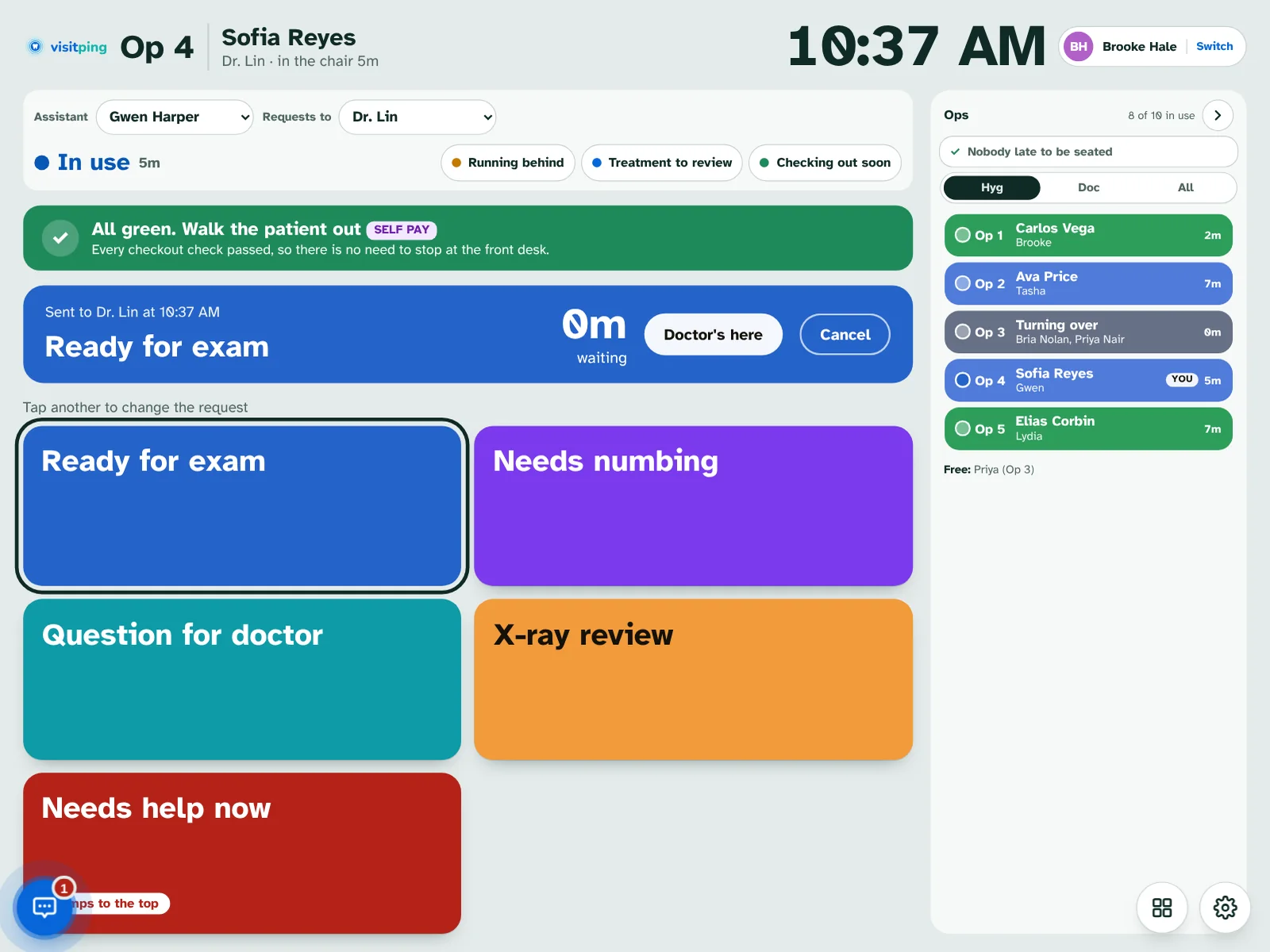
A tablet in each op with big buttons your team picks, the patient's medical alerts, what the front desk needs, and every other op beside them.

Op tablet for Op 4 on an iPad: the green All green, walk the patient out banner, a Ready for exam request sent to Dr. Lin, the request buttons, and the Ops panel.
An op tablet on an iPad in the Brookside demo.
Doctor requests

Big buttons, your words

Ready for exam, Needs numbing, X-ray review and your own requests, each with its own color and chime.

  • Needs help now jumps to the top of the doctor's list
  • The card counts the wait and shows when the doctor taps On my way
  • Pick who's in the op and which doctor the requests go to
  • Any button can ask for a note
Op tablet for Op 4 on an iPad: the green All green, walk the patient out banner, a Ready for exam request sent to Dr. Lin, the request buttons, and the Ops panel.
New in 3.0

Type the question

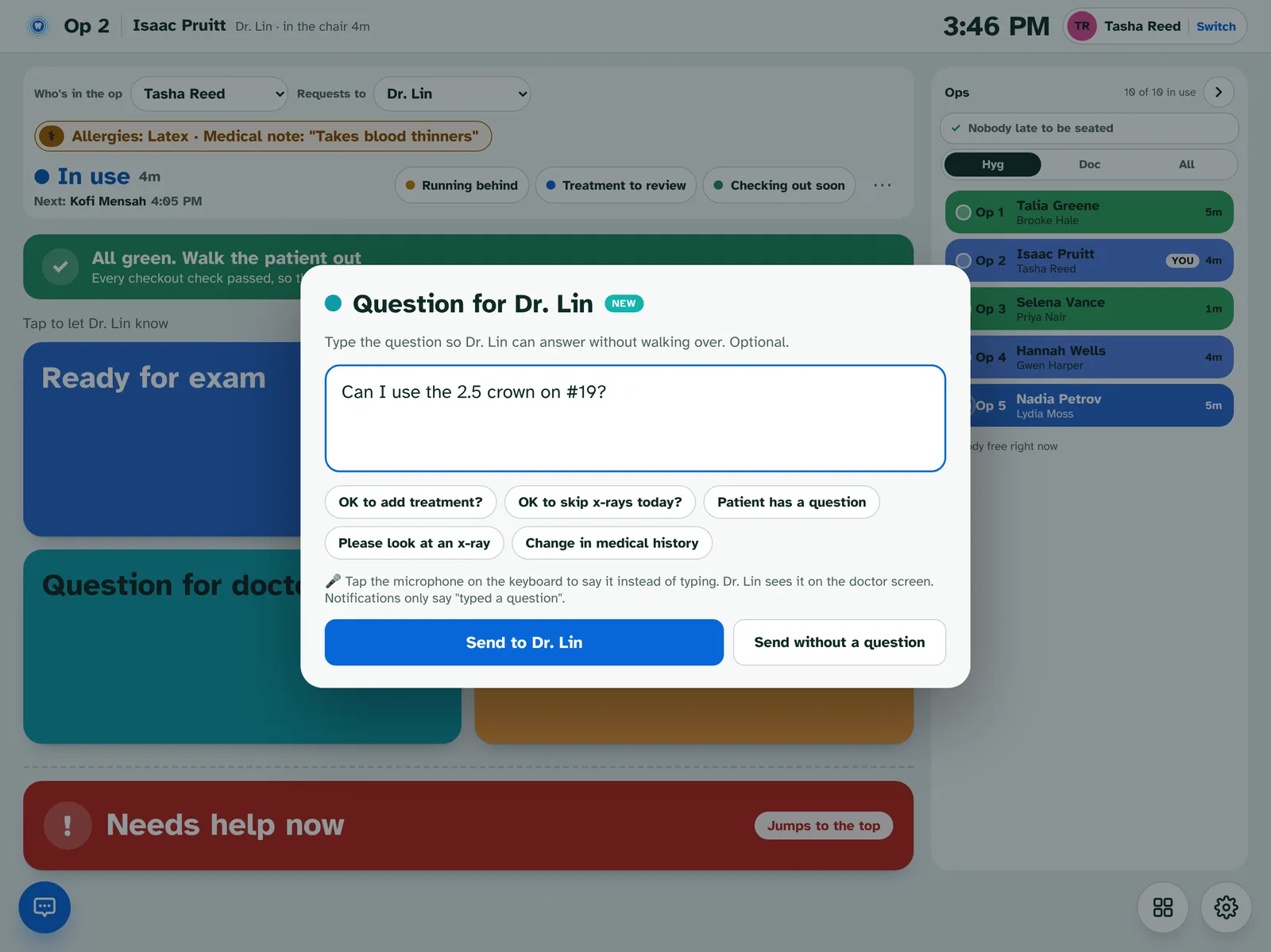
Question for doctor opens a box to type or dictate it, so the doctor can answer without walking over.

  • Quick chips like "OK to add treatment?" and "OK to skip x-rays today?"
  • The doctor answers on the card: Yes, go ahead, No, I'll come look, or a typed answer
  • The tablet shows the answer and who gave it
  • Notifications only say "typed a question". Nothing typed is saved
Op 2 tablet with the Question for Dr. Lin box open and
The answer

Know the doctor heard you

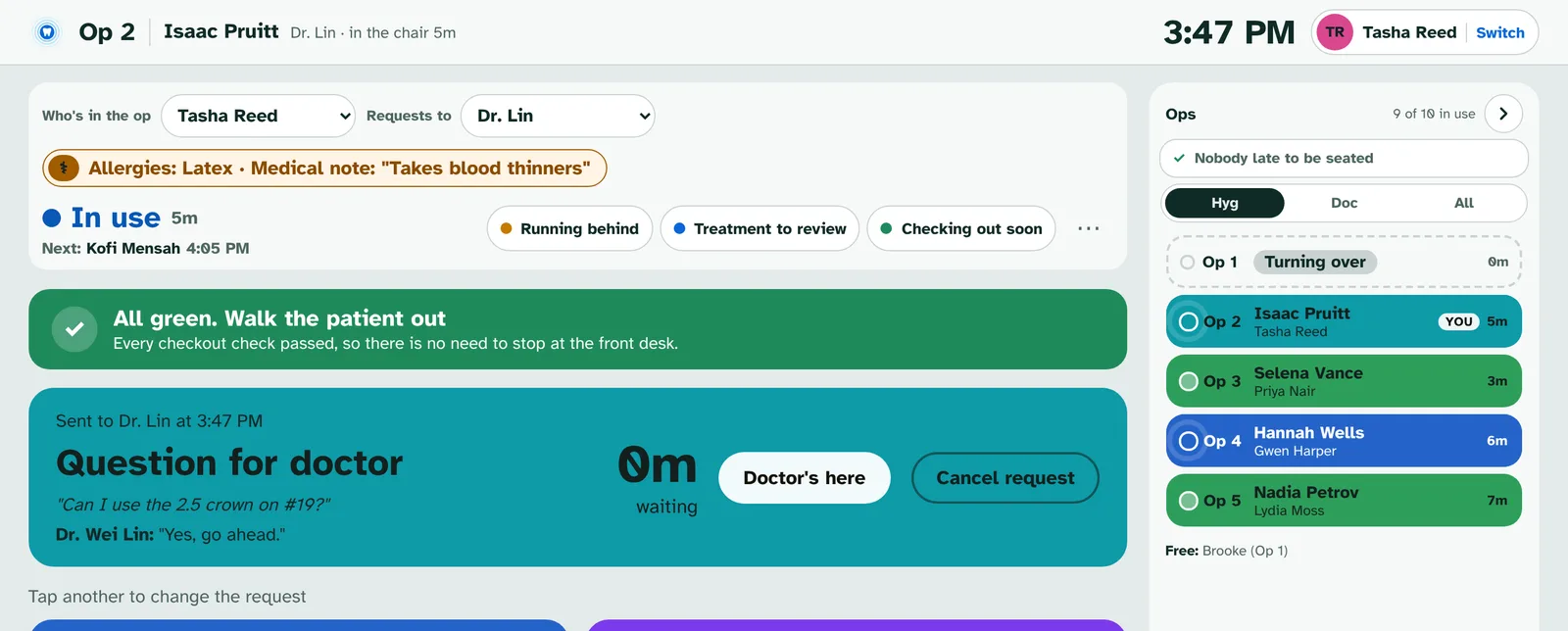
The answer lands right on the request, and on your phone and Windows if you stepped away.

  • "Dr. Wei Lin: Yes, go ahead."
  • "Kayla Chen answered for Dr. Lin" when someone answers for the doctor
  • Doctor's here and Cancel request when you're done
Op 2 tablet showing the sent question and Dr. Wei Lin's answer
Checkout and the ops panel

Walk them out, or send them to the desk

Every op tablet knows what the front desk needs before the patient stands up.

  • A green "All green. Walk the patient out" when nothing is owed
  • Running behind and Checking out soon tell the desk with one tap
  • Treatment to review asks your treatment coordinator where the patient should go
  • The Ops panel shows every op, who's late to be seated and who's free
  • A heads-up when your next patient arrives
Op tablet for Op 4 on an iPad: the green All green, walk the patient out banner, a Ready for exam request sent to Dr. Lin, the request buttons, and the Ops panel.

For hygiene

Exams without the waiting around.

Exam heads-up NEW

The doctor hears a hygiene exam is coming 10 minutes ahead.

+5, +10 or no exam NEW

Push the heads-up back, call the doctor now, or say No exam today.

Medical alerts

Premed, allergies and medical notes from Open Dental, right at the top.

Quiet in the op

Op tablets play at half volume while a patient is seated.

Nobody slips through

Patients booked in another column or an empty room are listed.

Made for tablets

Large two-column buttons on smaller tablets, and PIN or badge sign-in.

See it running

Try the live demo. Nothing to install.

Brookside Family Dental is a made-up office that runs a busy day around the clock: patients arrive, rooms call the doctor, the front desk checks people out and the team chats. Pick how many ops and people you want, then take the 5-minute tour.

  • Works on a computer, tablet or phone
  • Tap any name to sign in, no PIN
  • Made-up patients only
Open the live demo demo.visitping.com

Ready when you are.

Every feature free for 30 days on your own Open Dental server. No card needed.

Start free trial