Product

Office BoardEvery patient and every op on one wall TVFront deskCheckout flags, quick asks and who's availableOp tabletsCall the doctor with one tap, see every opDoctor screenA queue that sorts itself, and your next hourOffice chatRooms, messages and visit threads, encryptedAlertsWindows, phone and Watch alerts that reach the right personReportsVisit recaps, wait times and real appointment lengths

More

SecuritySetupPricingWhat's new
Start 30-day free trial Try the live demo
Home

Front desk

Checkout with nothing missed.

Every patient heading to the desk, with what needs doing before they leave: balances, claims, insurance and recall, flagged from Open Dental before the patient is even out of the chair.

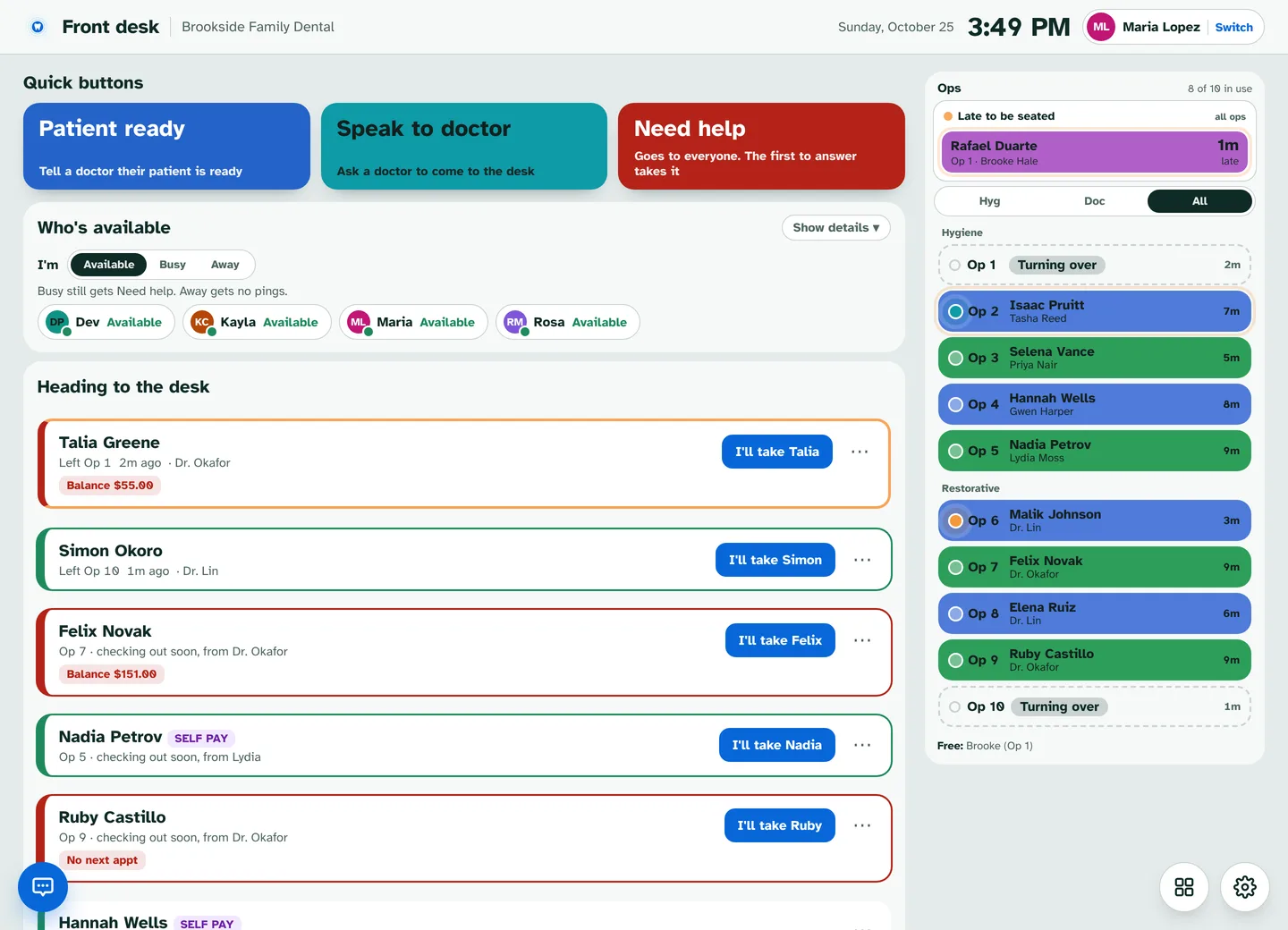
Front desk screen with quick ask buttons, room status, who's available, and patients heading to the desk with checkout flags.
The Front desk screen in the Brookside demo.
Heading to the desk

See them coming

Patients show up as their visit wraps up.

  • 10 minutes before the appointment ends, or as soon as the room taps Checking out soon
  • Checkout flags: balance, claims not sent or over 90 days, insurance to verify, recall and unscheduled treatment
  • "No next appointment" clears as soon as any later visit is booked
  • Tap ⋯ for Checkout complete, I'll take it, or a chat about the visit
  • Left with open flags lists anyone who left before the desk was done
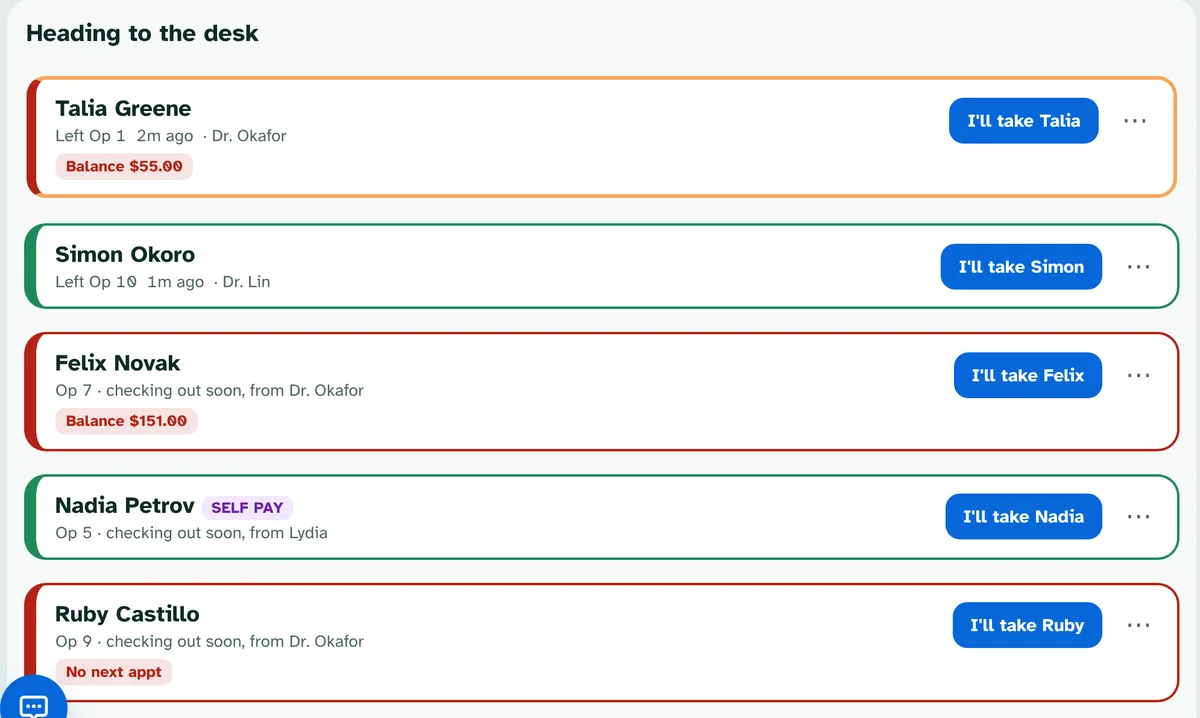
Heading to the desk: Talia Greene left Op 1 with a $55.00 balance, Felix Novak checking out soon, Nadia Petrov self pay, Ruby Castillo with no next appointment, each with an I'll take button.
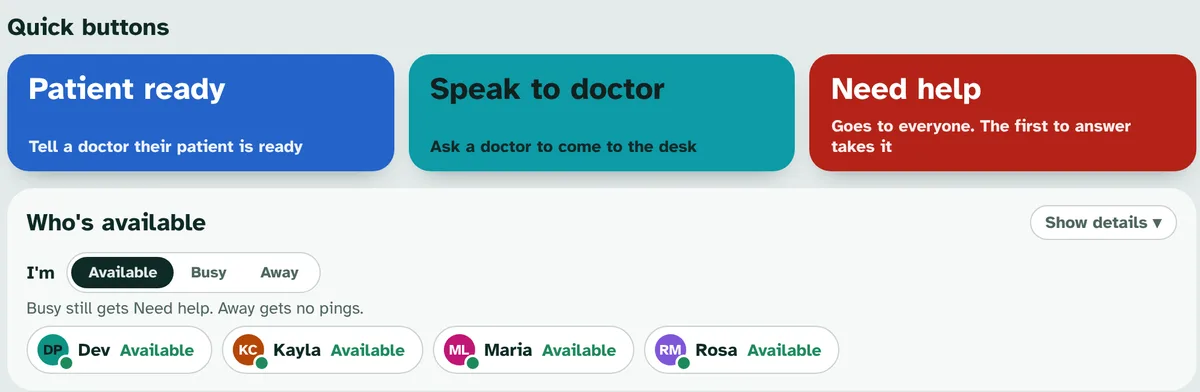
Quick buttons

Ask with one tap

Big buttons you set up for what your desk asks for most.

  • Rename, recolor and add your own
  • Send each one to a doctor, a whole job like the assistants, or down a list
  • Need help always goes to everyone, and the first to answer takes it
  • Answers come back as a notification: "Kayla is coming"
Quick buttons Patient ready, Speak to doctor and Need help, and Who's available with Dev, Kayla, Maria and Rosa available.
Front desk jobs

The right person takes each patient

Pick who handles check out and treatment planning, in order.

  • VisitPing asks #1 first and moves to #2 if they're busy, away or don't answer
  • "You're #3 for check out. Maria and Kayla are busy."
  • Treatment to review asks where the patient should go, with your main choice first
  • Assistants who also work the desk get these pings on the op tablet, marked Front desk job
VisitPing · Front desk
Op 6 needs helpSent by Carmen Diaz
I'm comingCan't right now
VisitPing · Op 2
Dr. Lin is comingOn my way · by 11:12
VisitPing · Front desk
Kayla is comingSomeone answered first

Who's available

Knows who can help, without asking.

Follows your time clock

Reads the Open Dental time clock. Lunch and breaks show as Away.

Available, Busy, Away

Busy still gets Need help. Away gets no pings.

Room status

Every op's status, with an alert when a room runs behind and when it's back on time.

More than one job

Someone who works the desk and assists picks where they're working each morning.

Reports

Checkout flags left open, and time in each status.

Visit threads

Chat about one patient right from the patient's row.

See it running

Try the live demo. Nothing to install.

Brookside Family Dental is a made-up office that runs a busy day around the clock: patients arrive, rooms call the doctor, the front desk checks people out and the team chats. Pick how many ops and people you want, then take the 5-minute tour.

  • Works on a computer, tablet or phone
  • Tap any name to sign in, no PIN
  • Made-up patients only
Open the live demo demo.visitping.com

Ready when you are.

Every feature free for 30 days on your own Open Dental server. No card needed.

Start free trial