Product

Office BoardEvery patient and every op on one wall TVFront deskCheckout flags, quick asks and who's availableOp tabletsCall the doctor with one tap, see every opDoctor screenA queue that sorts itself, and your next hourOffice chatRooms, messages and visit threads, encryptedAlertsWindows, phone and Watch alerts that reach the right personReportsVisit recaps, wait times and real appointment lengths

More

SecuritySetupPricingWhat's new
Start 30-day free trial Try the live demo
Home

Reports

See where the day really goes.

Every visit gets a recap, and every request and status change is timed. See which waits are growing, and how long each kind of visit really takes next to how long it's booked.

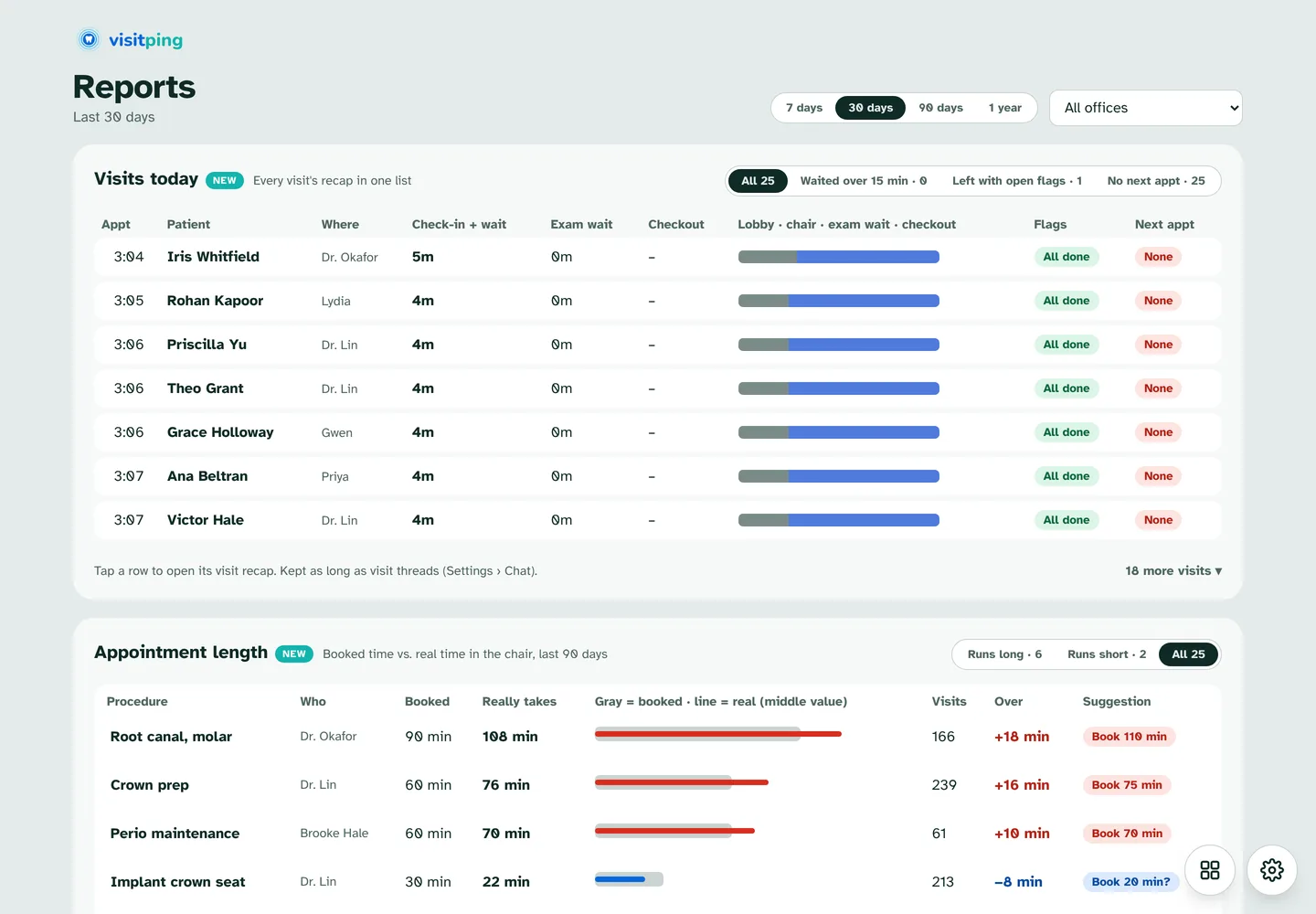
Reports with Visits today (each visit's check-in, exam wait, checkout and flags) and Appointment length (booked against real time, with a suggested length).
Visits today and Appointment length in the Brookside demo.
New in 3.0

Visit recap

When a visit ends, VisitPing writes its recap.

  • The timeline: arrived, seated, asked for the doctor, the doctor came, checkout
  • The checkout flags, and what's booked next
  • The messages and wait alerts
  • Filter by Waited over 15 min, Left with open flags or No next appointment
Reports with Visits today (each visit's check-in, exam wait, checkout and flags) and Appointment length (booked against real time, with a suggested length).
New in 3.0

Appointment length

How long each kind of visit really takes, seated to dismissed, over the last 90 days.

  • Next to how long it's booked, for each doctor and hygienist
  • Runs long and Runs short at a glance
  • The spread, time with and without an add-on, and a suggested length
Reports with Visits today (each visit's check-in, exam wait, checkout and flags) and Appointment length (booked against real time, with a suggested length).

Every report

Numbers your office can act on.

Doctor response times

By doctor and by request type, with requests per day.

Time in each status

Check-in and waiting by provider, with late arrivals counted.

Checkout flags left open

Who left before the desk was done, and what was open.

7 days to a year

Pick the range, and an office if you use clinics.

CSV and Power BI

Export any report, or point Power BI at the monthly status log.

Sign-in required

Reports open only for people whose role allows them.

See it running

Try the live demo. Nothing to install.

Brookside Family Dental is a made-up office that runs a busy day around the clock: patients arrive, rooms call the doctor, the front desk checks people out and the team chats. Pick how many ops and people you want, then take the 5-minute tour.

  • Works on a computer, tablet or phone
  • Tap any name to sign in, no PIN
  • Made-up patients only
Open the live demo demo.visitping.com

Ready when you are.

Every feature free for 30 days on your own Open Dental server. No card needed.

Start free trial